Hey Community!
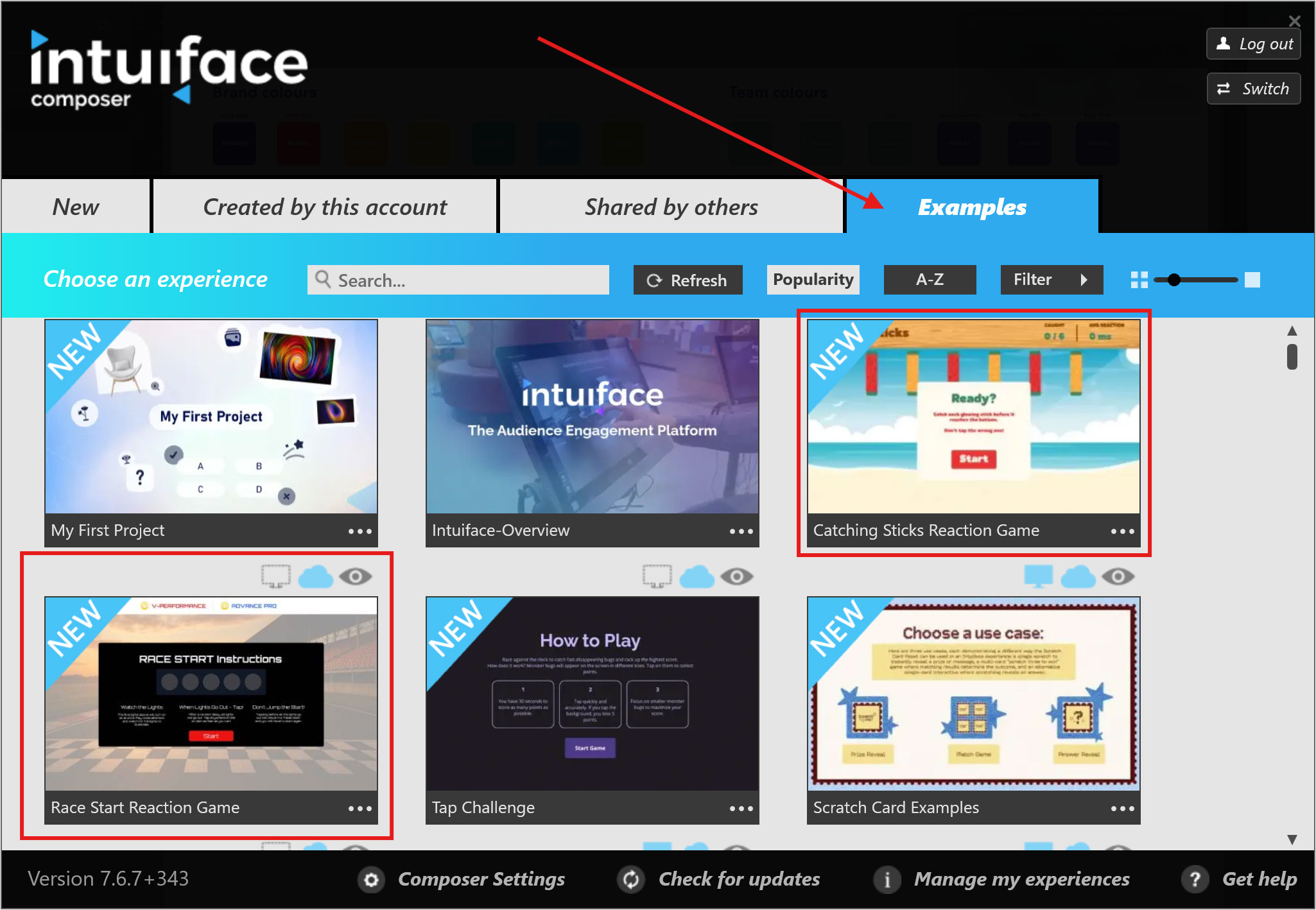
Following our Tap Challenge sample, we’ve added two more interactive games to our collection: Race Start Reaction Game and Catching Sticks Reaction Game.
Both samples explore different ways to build reaction-based experiences in Intuiface, from testing how quickly someone responds to a visual cue to challenging them to catch randomly falling objects.
 Race Start Reaction Game
Inspired by a motorsport starting-light sequence, the Race Start Reaction Game challenges players to wait for all five lights to go out before tapping the screen as quickly as possible.
A randomised delay means players can’t predict exactly when the lights will go out. Tap too early, and it’s a False Start. Wait too long, and you’ll get a Too Slow! result. Get it right, and your reaction time is displayed so you can see just how fast you were.
What you’ll learn
This sample demonstrates how to:
- Combine ChronometerMS, Countdown, and Random Number Generator Interface Assets to create reaction-based gameplay.
- Use a randomised countdown so players can’t anticipate the starting signal.
- Use Toggle Buttons and triggers to control a five-light starting sequence.
- Detect and handle false starts.
- Measure and display reaction times in milliseconds.
- Use conditional triggers to provide different feedback based on the player’s reaction time.
View a live demo below - yes, you can interact with the experience!
Read the Help Center article to learn how the experience is built and how to customise it for your own projects.
 Catching Sticks Reaction Game
The Catching Sticks Reaction Game takes a different approach. Six sticks are displayed on screen and drop one at a time in a randomly selected order. The player’s challenge is simple: catch the active stick before it reaches the bottom!
Catch the correct stick and the game moves on to another. Catch all six and you win. But selecting the wrong stick, tapping the background, or taking too long ends the game. The experience also keeps track of the number of sticks caught and the player’s average reaction time.
What you’ll learn
This sample demonstrates how to:
- Use a custom Catching Sticks Interface Asset to manage game logic.
- Randomly select which stick should drop next.
- Pass the selected stick number to an Interface Asset action.
- Measure individual reaction times and calculate an average.
- Detect different win and loss scenarios.
- Customise gameplay difficulty by changing how quickly each stick falls.
View a live demo below - yes, you can interact with the experience!
Read the Help Center article to learn how the experience is built and how to customise it for your own projects.
You can find both samples in the Examples tab of the Experiences panel in Composer.
As always, we’d love to see what you create with them. If you customise either game, feel free to share your version with the Community! 
Kind Regards
Louie