Hi, I am looking for advice on how to have a text input always show the on-screen keyboard. I believe nothing shows currently on the composer because there is a keyboard plugged into my laptop. The end use case is to attach a laptop with a player into a touch screen on-site so I need the onscreen keyboard to be persistent?
Any pointers would be appreciated!
Thanks
Hello @andrew.dobb and welcome to the Community!
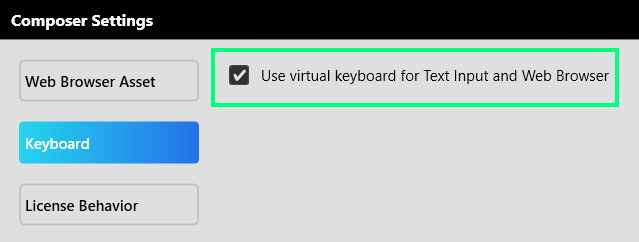
In order to see the virtual keyboard while using Composer you will need to enable this in the settings:
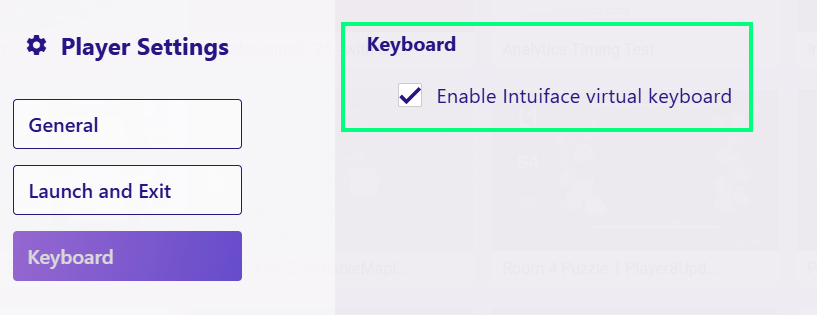
You will also need to enable this on the Windows Player device as well:
I see that you also submitted a support ticket with us, and I have replied to you there, with some follow up questions regarding the persistence of the virtual keyboard.
Thanks,
Ryan
Hi Ryan,
Thank you for your response, it looks like there was a similar ticket raised before. The issue I seems to have is specifically with the newer player. The classic player runs perfectly fine with the on screen keyboard but when simulating on Player v8 it doesn’t seem to open, even with keyboard enabled in the settings.
@andrew.dobb,
You are correct the virtual keyboard will not display in Simulate Player play mode, this is a limitation of this play mode.
The keyboard will only display in Composer when using the Simulate Player Classic play mode.
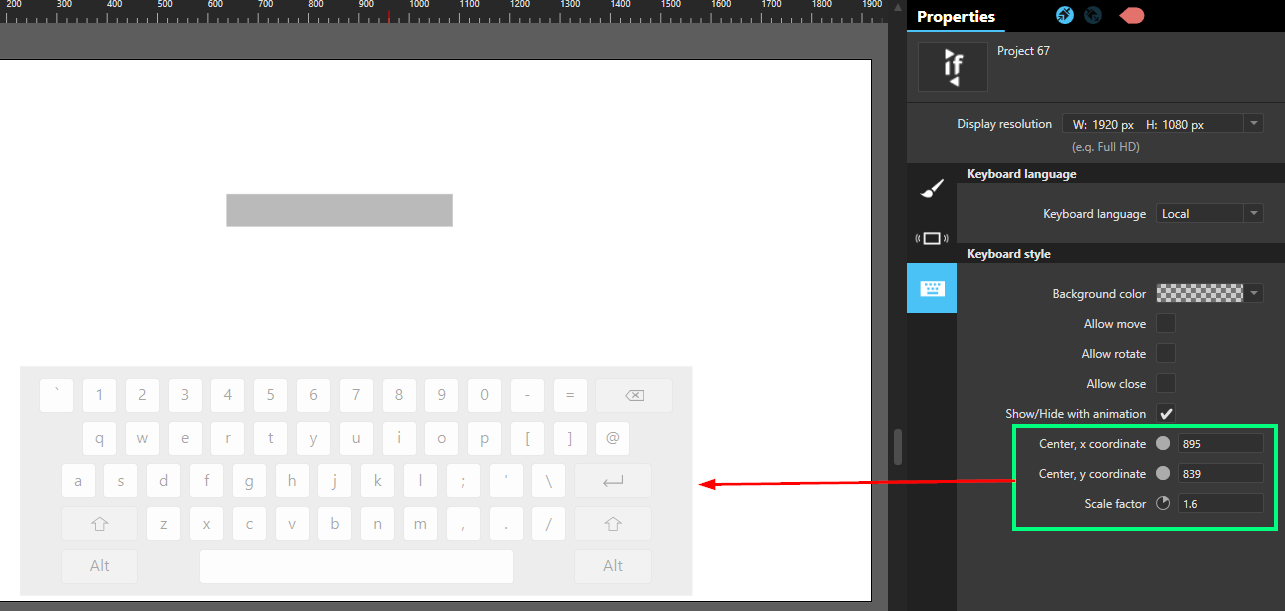
You can still see the placement/size of the keyboard in Composer edit mode by adjusting the Keyboard style properties of the experience.
-Ryan