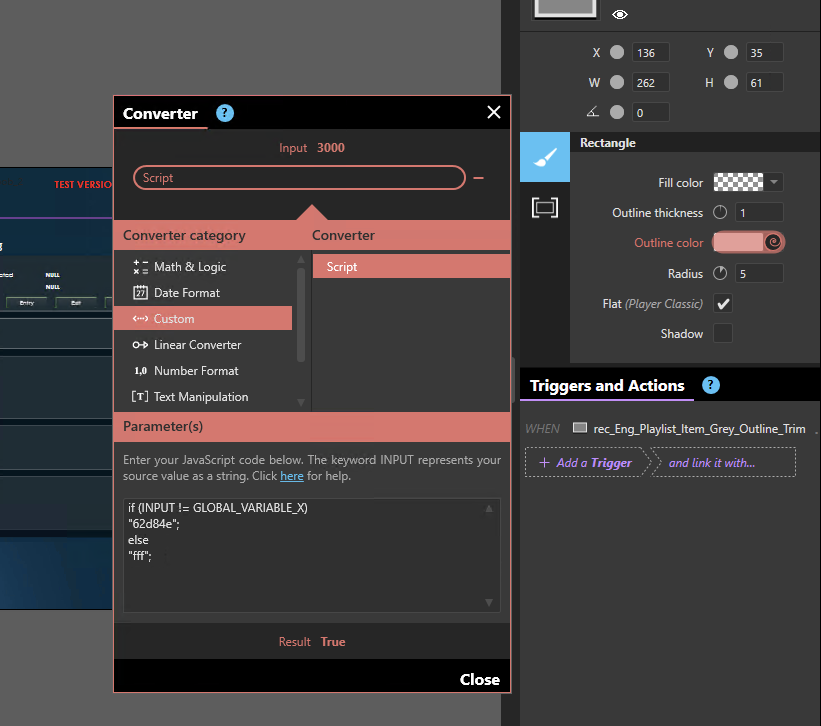
We have a field in an asset grid that needs to be highlighted (trim change colour) by comparing INPUT to a Global Variable. Obviously, I can get the INPUT as the field in the collection, but how can I get the global variable - can I regex, jquery, etc? Has this been done before? Is there a code snippet available, or does this require an IA? Is there another way to achieve the same result when each item in the collection is different?
So I have a different suggestion to accomplish what you are looking to do that does not involve using the custom converter.
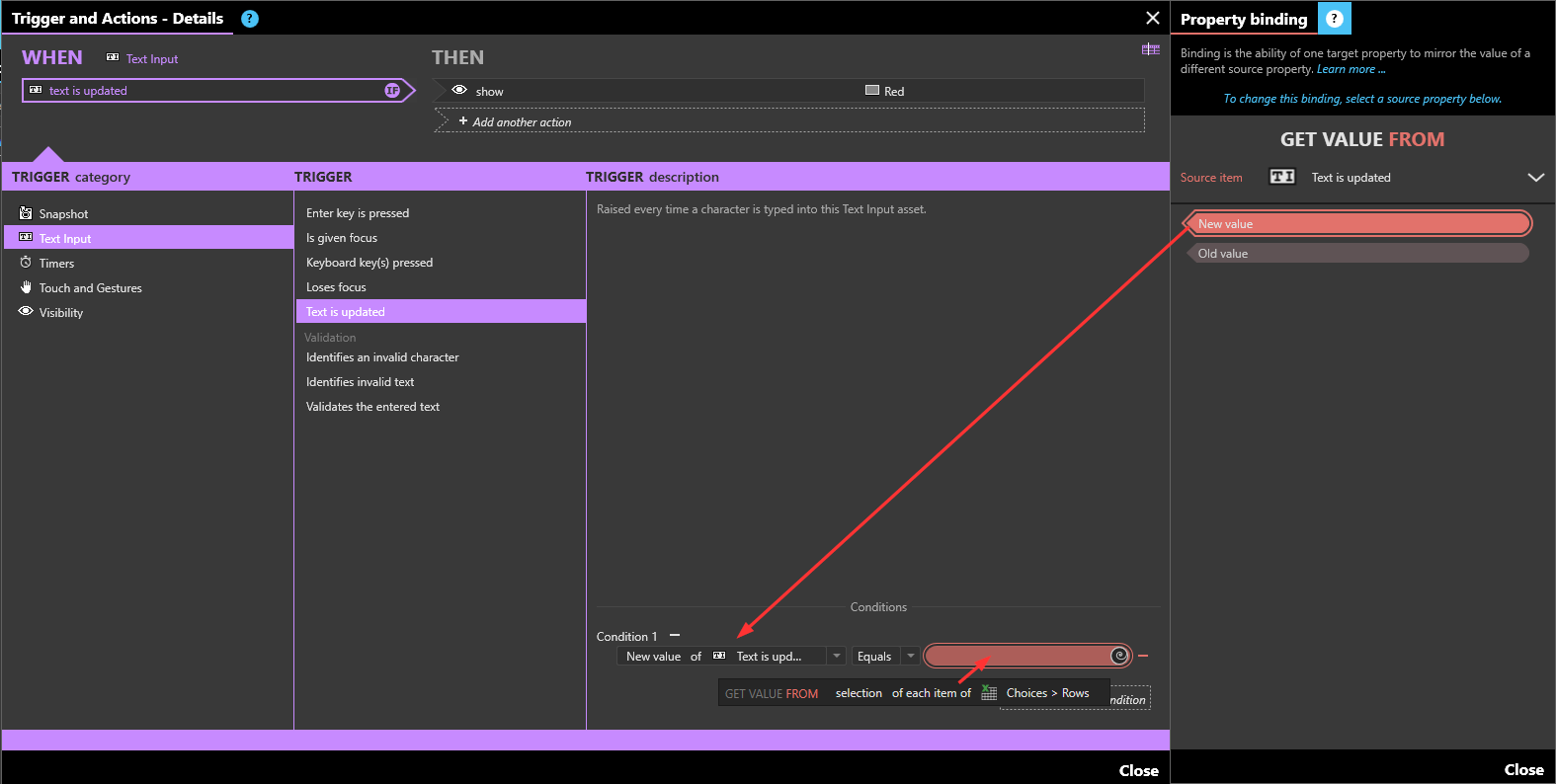
Instead we will include a Text Input asset in the Template of the data feed. Bind the text of the Text Input to the Global Variable.
Also include the two different trim color options in the template. Put the default/else color trim behind the if color trim, hide the if color trim asset.
Then add a Text is updated trigger to the text input, with the condition that the New value of the Text is updated source is Equal to the item from the data feed (selection item in the example below)
I have a very similar requirement where I need to trigger an action to hide/show an image within the template of a collection from the h-cms. I bound the text edit field to a field from the H-CMS, and then on Text is updated - New Value, run the action. However, the trigger isn’t firing. So, how do I trigger an action on the bound value from the h-cms in a collection? It feels like it should be simple but I can’t figure it out.
@matthew.phipps if you need to look at a value from an H-CMS field, you most likely don’t need a “proxy” Text Input, since this value will not change in time, for a give item in your data source.
For example, if you have an HCMS field “Media type” that contains either “image”, “video” or “document” (typical structure for a mixed playlist), and you want to bind the visibility of the Image Asset, Video Asset, Document Asset in your template on that field, all you need to do is
Bind the visibility of the Image Asset on the “Media Type” HCMS property
If you need more flexibility to transform your binding INPUT into your expected OUTPUT, you can use a Custom Script converter.
If I’m missing something more complex in your case, can you please open a ticket on our support platform and share your XP with us so we can have a look at it?